Mon23Nov

DesignCourse
Build a Full AI-Infused SaaS with Claude Code
Learn more about your ad choices. Visit megaphone.fm/adchoices
Claude Code has been a guest on 11 podcast episodes across 4 shows in the last 12 months, most often on How I AI (5 times). Latest: DesignCourse, Nov 23, 2026.
DesignCourse
Learn more about your ad choices. Visit megaphone.fm/adchoices


AI Fire Daily
Got something to say to this podcast? Send a voicemail, and you might hear yourself on the next episode! Tired of generic websites from Claude Code? See how a clear AI web design workflow turns visual references into mockups, helps you refine layouts, adds purposeful motion, and uses independent ChatGPT reviews to catch details you might miss along the way. 🎨 We'll Talk About: Design References: How to use visual references and create three distinct mockups with Claude Code. Design Quality: How to set clear targets and remove generic AI design patterns. UI & Animations: How to refine your website and add smooth, purposeful motion. Independent AI Reviews: How to use ChatGPT to evaluate your design and improve it with Claude Code. Keywords: AI Web Design, Claude Code, AI Website Design, AI Design Workflow, Claude Code Design, AI Tools. Links: Newsletter: Sign up for our FREE daily newsletter. Our Community: Get 3-level AI tutorials across industries. Join AI Fire Academy: 500+ advanced AI workflows ($14,500+ Value) Our Socials: Facebook Group: Join 303K+ AI builders X (Twitter): Follow us for daily AI drops YouTube: Watch AI walkthroughs & tutorials

AI Fire Daily
Got something to say to this podcast? Send a voicemail, and you might hear yourself on the next episode! 🧠 Is Claude still remembering old instructions that no longer matter? I'll show you how to build your own /dream skill with Claude Code to clean up Claude Memory, identify outdated information, review suggested changes, and set up regular memory maintenance. We'll Talk About: Building a Custom /dream Skill With Claude Code Analyzing and Cleaning Up Claude Memory Reviewing and Applying Memory Updates Managing Memory Backups and Rollbacks Automating Claude Memory Reviews Keywords: Claude Memory, Claude Code, Claude Skills, Claude Dream Skill, Claude Memory Management, AI Tools. Links: Newsletter: Sign up for our FREE daily newsletter. Our Community: Get 3-level AI tutorials across industries. Join AI Fire Academy: 500+ advanced AI workflows ($14,500+ Value) Our Socials: Facebook Group: Join 303K+ AI builders X (Twitter): Follow us for daily AI drops YouTube: Watch AI walkthroughs & tutorials

AI Fire Daily
Got something to say to this podcast? Send a voicemail, and you might hear yourself on the next episode! Learn how to create 3D animated AI YouTube Shorts with Claude Code. Set up your project, study a channel’s visual style, write fact-checked scripts, build reusable characters and scenes, then add voiceovers, animation, captions, and render your video. 🎬 We'll Talk About: Setting up Claude Code and organizing your project. Analyzing viral YouTube channels and creating a reusable style guide. Writing scripts with the Paradox, Tension, Pivot, and Twist formula. Building reusable 3D characters, environments, and props. Generating voiceovers and synchronizing audio. Animating characters, adding camera movements, and rendering the final video. Keywords: AI YouTube Shorts, Claude Code, 3D Animated Videos, AI Video Production, 3D Character Animation, AI Tools. Links: Newsletter: Sign up for our FREE daily newsletter. Our Community: Get 3-level AI tutorials across industries. Join AI Fire Academy: 500+ advanced AI workflows ($14,500+ Value) Our Socials: Facebook Group: Join 303K+ AI builders X (Twitter): Follow us for daily AI drops YouTube: Watch AI walkthroughs & tutorials

AI Fire Daily
Got something to say to this podcast? Send a voicemail, and you might hear yourself on the next episode! AI Web Design with Claude Code starts with a Taste Vault of website references. Learn how to analyze your favorite designs, compare three landing page concepts, choose a visual direction, and fine-tune your website with a custom adjustment panel today. 🎨 We'll Talk About: Building a Taste Vault with website screenshots from design inspiration sources. Using Claude Code to analyze references and create a reusable DESIGN-REFERENCE.md file. Creating and comparing three different landing page concepts. Choosing a visual direction that matches your design preferences. Building a custom Adjustment Panel with live controls for colors, typography, layout, effects, images, and motion. Saving favorite design settings and refining the final website. Keywords: AI Web Design, Claude Code, AI Website Design, Landing Page Design, Custom Adjustment Panel, AI Tools. Links: Newsletter: Sign up for our FREE daily newsletter. Our Community: Get 3-level AI tutorials across industries. Join AI Fire Academy: 500+ advanced AI workflows ($14,500+ Value) Our Socials: Facebook Group: Join 303K+ AI builders X (Twitter): Follow us for daily AI drops YouTube: Watch AI walkthroughs & tutorials

How I AI
Eddie Kim is the co-founder and CTO of the payroll and HR platform Gusto, which just crossed $1 billion in revenue and serves more than 500,000 small businesses. Recently he did something most CTOs don’t: he went back to writing code. With three other engineers and one designer, Eddie built Gusto Cofounder, a net-new AI product, from zero code to a tier-one launch in 10 weeks. He walks through how that team actually worked, why they threw out nearly every process, and how anyone can copy the approach. What you’ll learn: The trash-can method: how to write, review, and delete a full PR as a product decision instead of a planning doc The two-tool agent stack behind Gusto Cofounder The exact “perma-Zoom” setup that replaced standups, retros, and Slack threads for 10 weeks How a designer with no engineering background hit the 94th percentile for shipping code The eval-first workflow Eddie uses to fix real customer bugs with Claude Code How a non-technical leader can prototype an idea to win buy-in, then carry it all the way to production-quality code — Brought to you by: Magic Patterns—Prototypes that look like your product Jira Product Discovery—Prioritize with insights, build with confidence — In this episode, we cover: (00:00) Intro: five people, 10 weeks (02:38) The origins of Cofounder (08:32) Inside the 10-week build process (12:50) Building with no PMs (14:38) The “trash can” method (17:15) The stack architecture (19:10) Shipping to production from day one (22:03) How a designer became a top engineer (29:05) Demo: Cofounder over text and Slack (31:45) Demo: running a real payroll (36:26) Live coding with evals in Claude Code (39:39) Recap: prototype, small team, permission (43:17) Lightning round (48:44) Where to find Eddie and Cofounder — Tools referenced: • Gusto Cofounder (early access/waitlist): https://gusto.com/cofounder • Claude Code (Anthropic): https://claude.ai/code • Cloudflare Workers: https://workers.cloudflare.com/ • Vercel AI SDK: https://sdk.vercel.ai/ • DX (engineering analytics): https://getdx.com/ • Wispr Flow (voice-to-text): https://wisprflow.ai • OpenClaw: https://openclaw.ai/ — Other references: • Gusto (the main product, “Gusto Classic”): https://gusto.com • Mindbody (referenced as customer data source): https://www.mindbodyonline.com/ — Where to find Eddie Kim: LinkedIn: https://www.linkedin.com/in/edawerd/ — Where to find Claire Vo: ChatPRD: https://www.chatprd.ai/ Website: https://clairevo.com/ LinkedIn: https://www.linkedin.com/in/clairevo/ X: https://x.com/clairevo — Production and marketing by https://penname.co/. For inquiries about sponsoring the podcast, email jordan@penname.co.

How I AI
Thariq Shihipar is an engineer at Anthropic working on the Claude Code team. He’s spent the past several months experimenting with HTML as a replacement for Markdown in planning and implementation workflows, discovering that richer visual formats lead to better human engagement—and, ultimately, better products. In this episode, filmed at Anthropic’s Code with Claude event in San Francisco, Thariq demonstrates how to use HTML artifacts to create interactive plans, build throwaway UIs for specific problems, and maintain living design systems that travel with your codebase. What you’ll learn: Why HTML has replaced Markdown as the ideal format for AI agent communication and planning How to brainstorm in HTML to get visual mockups and interactive demos instead of text lists The technique for building throwaway micro-UIs to edit specific parts of your plan How to create a living design system in HTML that lives in your repo and travels with every project Why “complexity has to earn its keep” and how HTML helps you stay in the loop without over-constraining Claude The prompting technique that gives Claude flexibility while ensuring that you get what you need Why 99% of your AI-generated tokens should go to planning, interfaces, and communication—not production code — Brought to you by: Celigo—Intelligent automation built for AI Persona—Trusted identity verification for any use case — In this episode, we cover: (00:00) Introduction (02:39) HTML as the new Markdown (04:30) The compute allocator mindset (05:51) How HTML makes specs more engaging (06:48) Demo: Brainstorming in HTML with Claude Code (09:24) From brainstorm to full implementation plan (11:20) Prompting philosophy: Trust Claude but give it constraints (13:50) The future of PRDs and tech specs (18:16) Making HTML specs editable (20:23) The abundance mindset (24:17) Just-in-time documentation and throwaway software (25:39) Using plans as artifacts for implementation (26:39) Demo: Living design systems in HTML (30:16) Adding comments and annotations to HTML plans (31:42) Recap: The HTML workflow (32:21) Lightning round and final thoughts — Tools referenced: • Claude Code: https://claude.ai/code • Claude Design: https://claude.ai/design • AWS: https://aws.amazon.com/ • Figma: https://www.figma.com/ • GitHub: https://github.com/ — Other references: • Anthropic Code with Claude event: https://claude.com/code-with-claude • SpaceX partnership announcement: https://www.anthropic.com/news/higher-limits-spacex • Jevons paradox: https://en.wikipedia.org/wiki/Jevons_paradox — Where to find Thariq Shihipar: Website: https://www.thariq.io/ LinkedIn: https://www.linkedin.com/in/thariqshihipar/ X: https://x.com/trq212 GitHub: https://github.com/ThariqS — Where to find Claire Vo: ChatPRD: https://www.chatprd.ai/ Website: https://clairevo.com/ LinkedIn: https://www.linkedin.com/in/clairevo/ X: https://x.com/clairevo — Production and marketing by https://penname.co/. For inquiries about sponsoring the podcast, email jordan@penname.co.
How I AI
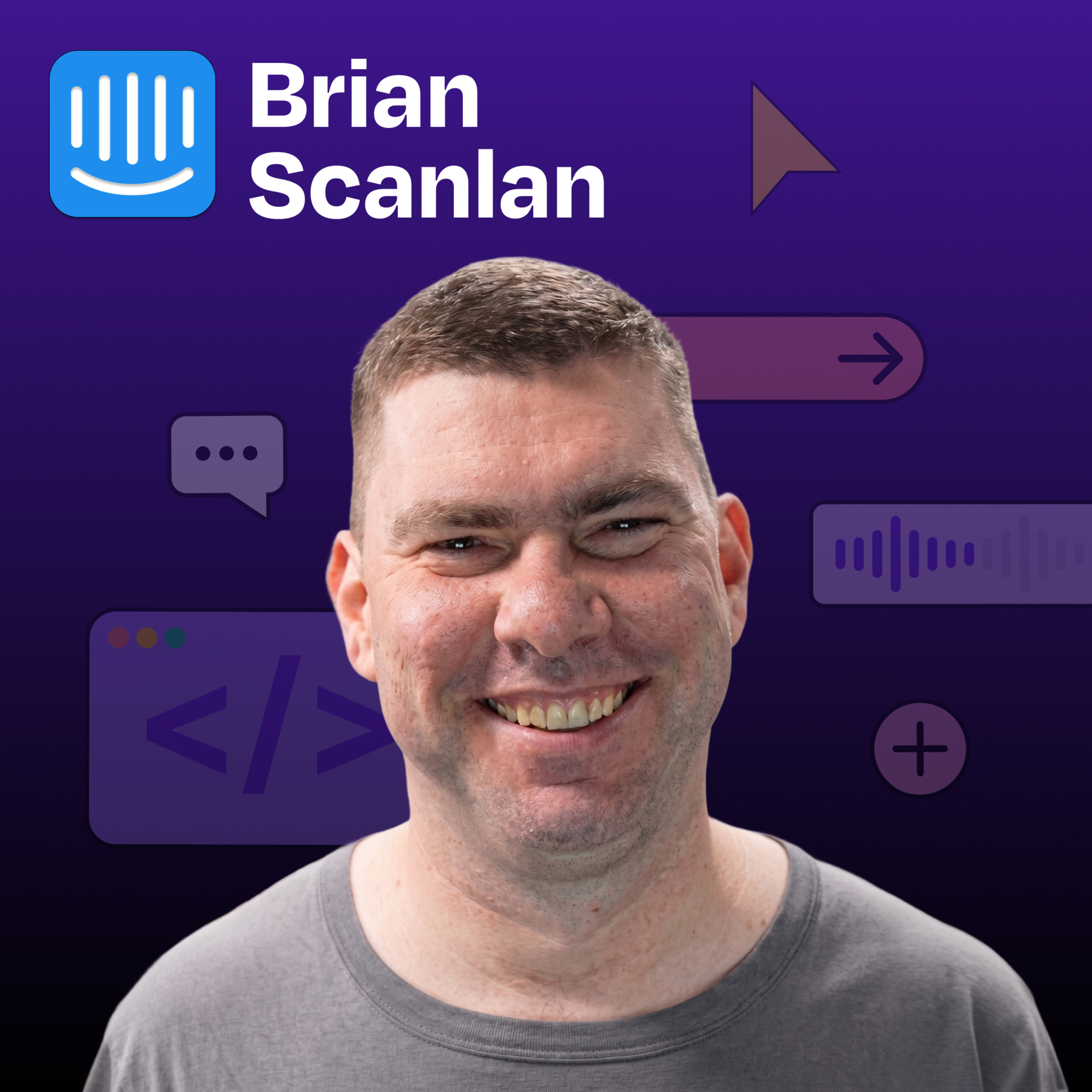
Brian Scanlan is a senior principal engineer at Intercom, where he’s led the company’s transformation to AI-first engineering. In just nine months, Intercom doubled their R&D throughput while maintaining code quality, with 100% of engineers—plus designers, PMs, and TPMs—now shipping code via Claude Code. What you’ll learn: How Intercom doubled their merged PRs per R&D employee in just nine months using Claude Code The telemetry infrastructure they built to measure AI adoption and quality across hundreds of engineers Why they built a skills repository with hooks that enforce engineering standards automatically How they’re preparing their product for an agent-first world with CLIs, MCPs, and ephemeral APIs The permission and accountability framework that enabled rapid AI adoption Why backlog zero is now achievable and what that means for engineering culture — Brought to you by: Celigo—Intelligent automation built for AI Cursor—The best way to code with AI — In this episode, we cover: (00:00) Introduction to Brian Scanlan (02:40) Why Intercom went all-in on AI for both product and engineering (05:01) The breakthrough moment with Opus 4.6 and Christmas break 2025 (07:02) Demo: Intercom’s merged PRs per R&D head (12:50) Agent-first work as a fundamental reimagining of technical workflows (14:27) The cost tradeoff: treating AI spend as an investment (16:47) Measuring quality (21:22) Demo: Shipping a redirect in the Rails monolith with Claude Code (24:03) Creating a custom PR skill (26:33) Building a software factory with predictable quality standards (30:15) Telemetry infrastructure: Honeycomb for skill usage tracking (32:10) Session data collection and personalized usage insights (36:08) Quick overview (39:20) Walking through Intercom’s skills repository (42:16) Deep dive: The flaky spec skill and how it reached 100x capability (46:44) The “and then” workflow for building comprehensive skills (52:31) The live website and overview of workflows (53:32) How internal AI experience informs customer product decisions (56:18) Making SaaS products agent-friendly with CLIs and helpful hints (01:03:49) Why conversion drop-off is invisible in agent-driven workflows (01:05:28) Lightning round and final thoughts — Detailed workflow walkthroughs from this episode: • How Intercom Doubled Engineering Output: Brian Scanlan's 4 AI Workflows for Claude Code: https://www.chatprd.ai/how-i-ai/how-intercom-doubled-engineering-output-brian-scanlan-ai-workflows-for-claude-code • Design an Agent-Friendly CLI to Automate SaaS Product Onboarding: https://www.chatprd.ai/how-i-ai/workflows/design-an-agent-friendly-cli-to-automate-saas-product-onboarding • Build a Self-Improving AI Agent to Automatically Fix Flaky Tests: https://www.chatprd.ai/how-i-ai/workflows/build-a-self-improving-ai-agent-to-automatically-fix-flaky-tests • Automate High-Quality Pull Request Descriptions with a Custom AI Skill: https://www.chatprd.ai/how-i-ai/workflows/automate-high-quality-pull-request-descriptions-with-a-custom-ai-skill — Tools referenced: • Claude Code: https://claude.ai/code • Cursor: https://cursor.com/ • Honeycomb: https://www.honeycomb.io/ • Snowflake: https://www.snowflake.com/ • Fin AI: https://www.intercom.com/fin • Vercel: https://vercel.com/ — Other references: • Intercom GitHub Repo: https://github.com/intercom • Google API Go Client Repo: https://github.com/googleapis/google-api-go-client — Where to find Brian Scanlan: X: https://x.com/brian_scanlan LinkedIn: https://www.linkedin.com/in/scanlanb/ Company: https://www.intercom.com — Where to find Claire Vo: ChatPRD: https://www.chatprd.ai/ Website: https://clairevo.com/ LinkedIn: https://www.linkedin.com/in/clairevo/ X: https://x.com/clairevo — Production and marketing by https://penname.co/. For inquiries about sponsoring the podcast, email jordan@penname.co.

How I AI
Daniel Roth, editor in chief at LinkedIn, went from business writer to iOS app developer, without ever learning how to code. Using Claude Code, Daniel built and shipped multiple production-ready iOS apps to the App Store, including Commutely, a personalized train-tracking app for New York commuters. What you’ll learn: How to set up a dual-agent Claude Code system (builder + reviewer) Why being a “picky customer” is the right mindset for non-technical builders How Daniel prioritizes features using AI-ranked impact vs. build time Why saving everything as Markdown files creates long-term context The importance of branch-based development—even when AI writes the code How Daniel ships to the App Store without formal engineering experience His end-of-day “What did I drop the ball on?” Copilot workflow — Brought to you by: WorkOS—Make your app enterprise-ready today Vanta—Automate compliance and simplify security — In this episode, we cover: (00:00) Introduction to Daniel Roth (02:46) Daniel’s AI development workflow overview (05:56) Using Claude to prioritize feature ideas (08:58) Building vs. marketing (09:47) Creating a retention plan for his app (10:38) Introducing Bob the Builder and Ray the Reviewer (13:50) How Bob and Ray work together to build features (14:37) Why Daniel focuses on learning the process (16:34) The importance of using branches for development (17:39) Managing AI agents like managing a team (21:12) Navigating the App Store (23:06) Being a “picky customer” rather than a PM (25:00) Testing in Xcode and shipping to the App Store (28:14) Quick recap (30:00) Creating terminal aliases with Claude (31:38) Demo of his Commutely app (32:10) Using Copilot to manage work responsibilities (35:05) How Daniel talks to AI without personifying it — Tools referenced: • Claude: https://claude.ai/ • Claude Code: https://claude.ai/code • Cursor: https://cursor.sh/ • Xcode: https://developer.apple.com/xcode/ • Canva: https://www.canva.com/ • Microsoft Copilot: https://copilot.microsoft.com/ • Terminal: https://support.apple.com/guide/terminal/welcome/mac • Obsidian: https://obsidian.md/ — Other reference: • Commutely (iOS app): https://apps.apple.com/us/app/commutely/id6755789873 — Where to find Daniel Roth: LinkedIn: https://www.linkedin.com/in/danielroth1/ Newsletter: https://www.linkedin.com/newsletters/forward-deployed-editor-7378272989982683137/ — Where to find Claire Vo: ChatPRD: https://www.chatprd.ai/ Website: https://clairevo.com/ LinkedIn: https://www.linkedin.com/in/clairevo/ X: https://x.com/clairevo — Production and marketing by https://penname.co/. For inquiries about sponsoring the podcast, email jordan@penname.co.

How I AI
CJ Hess is a software engineer at Tenex who has built some of the most useful tools and workflows for being a “real AI engineer.” In this episode, CJ demonstrates his custom-built tool, Flowy, that transforms Claude’s ASCII diagrams into interactive visual mockups and flowcharts. He also shares his process for using model-to-model comparison to ensure that his AI-generated code is high-quality, and why he believes we’re just at the beginning of a revolution in how developers interact with AI. What you’ll learn: How CJ built Flowy, a custom visual planning tool that converts JSON files into interactive mockups and flowcharts Why visual planning tools are more effective than ASCII diagrams for complex UI and animation workflows How to create and use Claude Code skills to extend your development environment Using model-to-model comparison (Claude + Codex) to improve code quality How to build your own ecosystem of tools around Claude Code The value of bypassing permissions in controlled environments to speed up development — Brought to you by: Orkes—The enterprise platform for reliable applications and agentic workflows Rovo—AI that knows your business — Detailed workflow walkthroughs from this episode: • How I AI: CJ Hess on Building Custom Dev Tools and Model-vs-Model Code Reviews: https://www.chatprd.ai/how-i-ai/cj-hess-tenex-custom-dev-tools-and-model-vs-model-code-reviews • Implement Model-vs-Model AI Code Reviews for Quality Control: https://www.chatprd.ai/how-i-ai/workflows/implement-model-vs-model-ai-code-reviews-for-quality-control • Develop Features with AI Using Custom Visual Planning Tools: https://www.chatprd.ai/how-i-ai/workflows/develop-features-with-ai-using-custom-visual-planning-tools — In this episode, we cover: (00:00) Introduction to CJ Hess (02:48) Why CJ prefers Claude Code for development (04:46) The evolution of developer environments with AI (06:50) Planning workflows and the limitations of ASCII diagrams (08:23) Introduction to Flowy, CJ’s custom visualization tool (11:54) How Flowy compares to mermaid diagrams (15:25) Demo: Using Flowy (19:30) Examining Flowy’s skill structure (23:27) Reviewing the generated flowcharts and diagrams (28:34) The cognitive benefits of visual planning vs. text-based planning (31:38) Generating UI mockups with Flowy (33:30) Building the feature directly from flowcharts and mockups (35:40) Quick recap (36:51) Using model-to-model review with Codex (Carl) (41:52) The benefits of using AI for code review (45:13) Lightning round and final thoughts — Tools referenced: • Claude Code: https://claude.ai/code • Claude Opus 4.5: https://www.anthropic.com/news/claude-opus-4-5 • Cursor: https://cursor.sh/ • Obsidian: https://obsidian.md/ • GPT-5.2 Codex: https://openai.com/index/introducing-gpt-5-2-codex/ • Google’s Project Genie: https://labs.google/projectgenie — Other references: • Mermaid diagrams: https://mermaid.js.org/ • Figma: https://www.figma.com/ • Excalidraw: https://excalidraw.com/ • TypeScript: https://www.typescriptlang.org/ — Where to find CJ Hess: LinkedIn: https://www.linkedin.com/in/cj-hess-connexwork/ X: https://x.com/seejayhess — Where to find Claire Vo: ChatPRD: https://www.chatprd.ai/ Website: https://clairevo.com/ LinkedIn: https://www.linkedin.com/in/clairevo/ X: https://x.com/clairevo — Production and marketing by https://penname.co/. For inquiries about sponsoring the podcast, email jordan@penname.co.